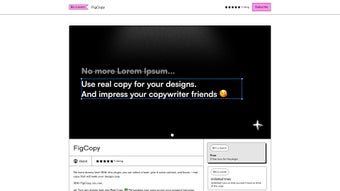

Download FigCopy – Real Copy Generator for Designers
Overview
FigCopy is a productivity‑boosting plugin built especially for designers who spend countless hours juggling placeholder text in their mock‑ups. Unlike generic lorem‑ipsum generators, FigCopy delivers authentic, context‑aware copy that can be customized to match the tone, brand voice, and target audience of any project. By integrating real copy directly into Figma files, designers can present clients and stakeholders with design previews that look and feel like finished products, rather than empty shells.
This realistic approach not only shortens the feedback loop but also helps avoid the common pitfall of redesigning layouts once the final text arrives. FigCopy operates on a subscription model with a free tier that provides limited usage and a paid tier for unlimited generation, making it accessible to freelancers, agencies, and large design teams alike. The plugin is continuously evolving; upcoming roadmap items include A/B testing capabilities and ready‑made design templates that let users experiment with different copy variations without leaving Figma.
Whether you’re creating a marketing landing page, a mobile app interface, or a corporate brochure, FigCopy aims to replace placeholder text with purposeful language, turning every design iteration into a more persuasive, client‑ready artifact.
Key Features and Benefits
- Real‑World Copy Generation: Generates context‑sensitive text that mirrors the intended content type – from headlines and button labels to longer body paragraphs.
- Brand Voice Customization: Upload brand guidelines or select a tone (formal, casual, playful) to keep the copy consistent across all screens.
- One‑Click Insertion: Apply generated copy directly to selected text layers in Figma with a single click, eliminating manual copy‑paste.
- API Key Integration: Securely connect your FigCopy account via an API key obtained from the FigCopy portal, ensuring data privacy.
- Free Tier & Scalable Pricing: Start with a $0+ plan that offers limited generations per month; upgrade to a paid subscription for unlimited access.
- Future‑Ready Roadmap: Planned A/B testing module will let designers compare copy variants side‑by‑side within the same design.
- Design Template Library (Upcoming): Pre‑built templates that combine copy and layout suggestions for rapid prototyping.
These features translate into tangible benefits for everyday design workflows. By providing authentic copy early in the design phase, FigCopy reduces the back‑and‑forth between copywriters and designers, saving an average of 2–3 hours per project. The brand‑voice option ensures that every piece of text aligns with the client’s messaging guidelines, which is especially valuable for agencies handling multiple brands.
The seamless one‑click insertion workflow also minimizes the risk of formatting errors that often occur when copying text from external sources. Moreover, the subscription model gives teams the flexibility to scale usage based on project volume, making FigCopy a cost‑effective addition to any design toolkit. As the upcoming features roll out, the plugin will become an even more powerful hub for experimentation, allowing designers to run quick A/B tests without leaving the Figma environment.
Installation, Usage & Compatibility
Step‑by‑Step Installation
- Open the FigCopy page in the Figma Community and click “Install”.
- Once installed, launch the plugin from the Figma “Plugins” menu.
- You will be prompted to enter an API key. Generate this key in your FigCopy dashboard (requires a free account).
- Copy the key, paste it into the FigCopy prompt, and click “Save”.
- Enable JavaScript in your browser settings if you encounter any loading issues – FigCopy relies on client‑side scripts for real‑time generation.
How to Use FigCopy Effectively
After installation, select any text layer within a Figma frame. Open FigCopy from the plugins menu, choose the desired content type (e.g., headline, paragraph, button), and adjust the tone sliders if needed. Press “Generate”, and the plugin will replace the placeholder with context‑aware copy. You can also generate multiple variations at once and store them in the “Copy Library” for future reuse. For teams, FigCopy offers a shared library feature where approved copy snippets can be synced across all project files, ensuring consistency.
System Requirements & Operating System Support
FigCopy is a web‑based plugin that runs inside the Figma desktop app or the browser‑based Figma editor. It works on Windows 10 or newer, macOS 10.14 (Mojave) or later, and any modern Linux distribution that supports the Figma Electron client. Because FigCopy relies on JavaScript, the latest versions of Chrome, Edge, Safari, or Firefox are recommended for optimal performance. Mobile versions of Figma (iOS & Android) currently do not support plugins, so FigCopy is limited to desktop environments.
Pros, Cons & Frequently Asked Questions
Pros
- Generates realistic copy that matches brand tone.
- Speeds up design‑to‑client handoff with production‑ready text.
- One‑click insertion eliminates manual copying errors.
- Free tier available for low‑volume users.
- Future A/B testing feature will enhance design validation.
Cons
- Requires an internet connection and a valid API key.
- Limited functionality on mobile Figma apps.
- Free plan caps the number of generations per month.
- Advanced customization (e.g., multi‑language support) is currently only in the paid tier.
FAQ
Is FigCopy compatible with the free version of Figma?
Yes. FigCopy works with both the free and professional tiers of Figma, as long as you are using the desktop app or a supported web browser.
How does the pricing model work after the free trial?
FigCopy offers a freemium model. The $0+ plan provides up to 50 generations per month. Paid subscriptions start at $9.99 per month for unlimited access, with discounts available for annual billing.
Can I export the generated copy for use outside of Figma?
Absolutely. After generating copy, you can click “Copy to Clipboard” to paste the text into any external document, CMS, or code editor.
Is my data safe when using FigCopy?
FigCopy uses HTTPS encryption for all API communications, and your API key is never stored on third‑party servers. The plugin adheres to GDPR and CCPA standards.
When will the A/B testing feature be released?
The A/B testing module is slated for a beta release in Q2 2026. Existing subscribers will receive early access, and the feature will be included in the standard paid plan.
Conclusion & Call to Action
FigCopy fills a clear gap in the designer’s toolkit by swapping generic placeholders for meaningful, brand‑aligned copy. Its seamless integration with Figma, coupled with a generous free tier, makes it an attractive option for freelancers who need a quick solution and for agencies that require scalable, consistent content generation. While the plugin currently depends on an internet connection and is limited to desktop environments, its roadmap promises powerful A/B testing and template features that will further cement its place in modern design workflows. If you’re looking to accelerate client presentations, reduce revision cycles, and keep your design files looking polished from day one, FigCopy is worth a try. Download FigCopy today, generate authentic copy in seconds, and experience a smoother handoff from design to development.



.png)



